
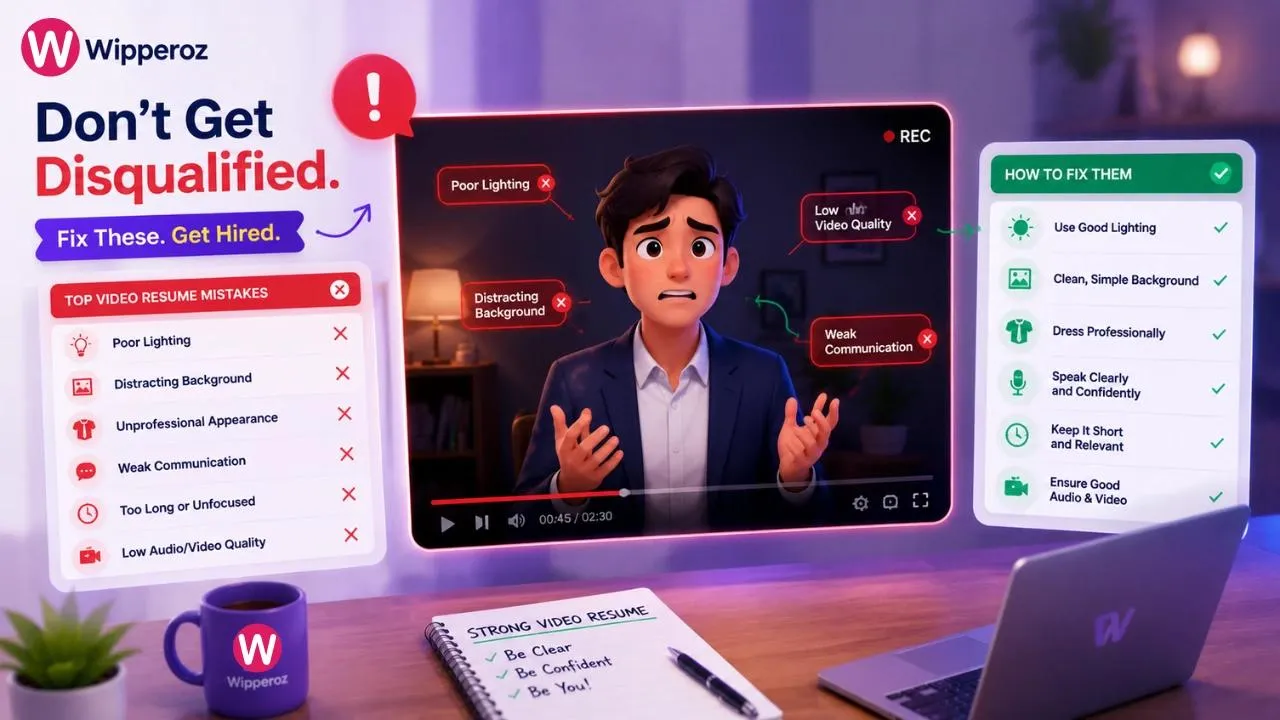
Top Video Resume Mistakes That Instantly Disqualify You and How to Fix Them
Video applications are no longer a novelty. Employers increasingly use them to screen communication skills, presentation style, and professionalism before a live interview is ever offered. That is why video resume mistakes that instantly disqualify you can end a candidacy in seconds, even when the underlying experience is strong.

1. Securing Your First Impression: Navigating Video Resume Mistakes That Instantly Disqualify You
Video applications are no longer a novelty. Employers increasingly use them to screen communication skills, presentation style, and professionalism before a live interview is ever offered. That is why video resume mistakes that instantly disqualify you can end a candidacy in seconds, even when the underlying experience is strong.
The difference between a compelling video pitch and an immediate rejection is usually not talent alone. It is clarity, technical quality, and whether the submission makes a recruiter feel confident that you can represent the company well. In a competitive market, a polished video can become a serious advantage, while avoidable errors can quietly remove you from consideration.
Recruiters often make fast judgments based on first impressions. A video that looks rushed, sounds unclear, or fails to follow instructions can signal poor attention to detail long before your qualifications are reviewed.
At a practical level, the biggest risks fall into three buckets: technical failures, content mistakes, and submission errors. Candidates who eliminate those issues usually stand out because their video feels organized, easy to watch, and easy to trust. That is the real edge.
What separates a strong video resume from an instant rejection
A successful video resume is short, focused, and professional. It introduces who you are, why you are relevant, and what value you bring, without forcing the viewer to work hard to understand it.
- Technical quality matters because poor lighting or weak audio can make your message harder to absorb.
- Content structure matters because rambling or overexplaining makes you seem unprepared.
- Submission accuracy matters because a broken link, wrong file, or missed instructions can prevent review altogether.
Those failures are especially dangerous because they are often avoidable. A few preparation steps can prevent the most common video resume mistakes that instantly disqualify you and help your application look polished from the first click.
TL;DR: the errors that get candidates screened out fast
If you want the short version, recruiters typically notice these problems first: technical and audio-video failures, poor body language, failed links, and ATS blind spots when the application package is inconsistent. In other words, the video is only one part of the review process, and weak execution anywhere in the package can hurt the whole impression.
For candidates who want a cleaner application workflow, Wipperoz’s Free AI CV Builder can help organize your resume foundation before you record. That matters because a strong written CV and a strong video introduction should support each other, not conflict.
One of the most useful habits I have seen in first-round candidate screening is simple: check the video from the recruiter’s point of view. If the file opens smoothly, the sound is clear, and the message is easy to follow in under a minute, your chances improve immediately. If any of those fail, you may be eliminated before your qualifications are ever discussed.
2. Technical Production and Audio-Visual Failures
Technical quality is one of the most common reasons candidates lose momentum with video applications. When recruiters click a video resume, they expect a smooth viewing experience, not a struggle with shadows, distorted sound, or a file that refuses to load.
Even strong candidates can trigger video resume mistakes that instantly disqualify you if the production quality distracts from the message. The problem is not usually expensive equipment. It is neglecting the basics that make the video look deliberate and easy to review.
Lighting that works against you instead of for you
Poor lighting can turn a confident candidate into a silhouette or create harsh shadows that make facial expressions difficult to read. That matters because nonverbal communication is part of the evaluation, especially in roles that require client contact, sales, teaching, leadership, or public speaking.
Natural light is usually the easiest fix. Face a window if possible, or use a soft front-facing light so your features stay visible without glare.
- Avoid backlighting, which places the light source behind you and darkens your face.
- Keep overhead lighting balanced so you do not get unflattering shadows under the eyes.
- Test the frame before recording to make sure your face is clearly visible throughout the shot.
Good lighting is not about looking “perfect.” It is about making your expression, energy, and credibility easy to read.
Audio issues that make a message hard to trust
Bad audio is often more damaging than mediocre video. Viewers will tolerate a slightly lower-resolution image more easily than they will tolerate muffled speech, echo, static, or constant background noise.
According to common multimedia accessibility and usability guidance, clear audio is essential because viewers process speech faster when they are not straining to decode it. That means a cheap microphone placed correctly can outperform a more expensive camera with poor sound capture.
- Record in a quiet room with minimal echo and consistent ambient noise.
- Keep your microphone close enough to capture your voice clearly, but not so close that it distorts.
- Check the volume level with a short test recording before the final take.
Many applicants underestimate how strongly audio affects perception. If a recruiter has to replay your video or cannot understand key details, that friction can become one of the video resume mistakes that instantly disqualify you, especially when other candidates offer a smoother experience.
File format and export problems that prevent playback
A technically polished message is useless if the file will not open. Recruiters often review applications across different devices and browsers, so a heavy file, odd codec, or unusual format can create unnecessary friction.
Keep the export simple and widely compatible. Common formats such as MP4 are typically easier to review than large or obscure files, and compressed files often upload more reliably.
| Common technical issue | Why it hurts | Better Approach |
|---|---|---|
| Backlighting and shadows | Makes facial cues difficult to read | Use front-facing natural or soft light |
| Background noise | Distracts from your message | Record in a quiet, controlled space |
| Unreadable file formats | Can fail to open on recruiter devices | Use a standard, compatible export format |
| Oversized files | Slow upload and playback issues | Compress without sacrificing clarity |
If you want to reduce the risk of file-related rejection, follow a simple rule: test the final video on more than one device before submitting it. That one step catches many of the video resume mistakes that instantly disqualify you and helps ensure the recruiter sees exactly what you intended.
For creators who want to avoid format-related errors, our ‘Demo CV of Emilyy Carter’ guide explains how export choices affect playback, file size, and compatibility. The goal is not technical perfection. It is reliability, because reliability is what keeps your application in the review queue instead of the trash folder.
3. Content Strategy and Scripting Missteps
Among the most common video resume mistakes that instantly disqualify you are problems with structure, pacing, and message control. Hiring managers often decide within the first minute whether a video resume feels polished, relevant, and credible. If the content rambles, sounds scripted, or fails to guide the viewer toward the next step, the application can lose momentum quickly.
In my experience reviewing candidate content strategies, the strongest video resumes feel concise and intentional. They answer three questions fast: who you are, what you do, and why the viewer should care. Anything that drifts beyond that without purpose starts to look like poor judgment rather than enthusiasm.
i. Rambling past the point of persuasion
One of the biggest video resume mistakes that instantly disqualify you is treating the recording like an open-ended personal story. A long, unstructured video creates friction for recruiters, especially when they are screening many applicants in a short time. Most effective video resumes stay tightly focused around a 60- to 120-second window unless the employer specifically asks for more.
A practical storyboard usually works better than a loose script. It keeps your message aligned with the job, while still sounding human and confident.
| Strong video resume flow | Weak video resume flow |
|---|---|
| Quick introduction, relevant skill proof, one career highlight, CTA | Long personal history, unrelated hobbies, vague closing |
| Clear positioning for one role | Trying to appeal to every employer at once |
| Easy for recruiters to scan and remember | Forces the viewer to search for the point |
Recruiters are not just listening for confidence. They are listening for relevance, organization, and respect for their time.
ii. Sounding memorized instead of conversational
Reading directly from a script is another of the video resume mistakes that instantly disqualify you because it strips away authenticity. A monotone delivery often signals that the applicant is more focused on avoiding mistakes than on communicating value. That tension shows up on camera.
Rather than memorizing every line, use cue cards or a bullet outline placed near the lens. This lets you stay natural while still covering the essentials. If you want deeper guidance on presentation flow, this Demo CV of Amina Diop explains how to create a more credible on-camera narrative.
What a natural delivery should sound like
- Short, complete thoughts. This makes your speech easier to follow and more confident.
- Simple wording. Avoid over-explaining skills you could say in one clean sentence.
- Brief pauses. Controlled pauses help you sound thoughtful rather than rushed.
The goal is not to sound perfect. The goal is to sound believable, prepared, and easy to talk to. That matters because many employers use video as a proxy for real workplace communication.
iii. Forgetting the CTA and one-size-fits-all trap
Another frequent issue is ending the video without a clear Call to Action. If you do not direct the hiring manager to your portfolio, LinkedIn profile, or application materials, you make them work harder to find your qualifications. That extra effort can reduce follow-through, especially in high-volume hiring.
A strong CTA is brief and specific. For example, mention that your portfolio, work samples, or LinkedIn profile is available for review. If your content is personalized to the role, it also signals professionalism and strategic thinking.
The one-size-fits-all video is especially risky because it weakens relevance. Customization is one of the easiest ways to avoid video resume mistakes that instantly disqualify you.
To reduce this risk, create a base structure and adapt the middle section for each employer. That approach keeps production efficient while still showing genuine interest. You can also connect your video with your broader application strategy by reviewing best AI CV Builders.
When hiring teams see a candidate who can prioritize, communicate clearly, and adjust the message to the role, they are more likely to view that candidate as ready for the job. That is why content strategy is not just a creative choice. It is part of your professional credibility.
4. Poor Body Language and Unprofessional On-Camera Presence
Even when the script is strong, body language can create video resume mistakes that instantly disqualify you in seconds. Hiring managers notice posture, eye contact, facial expression, and environment before they process the details of your experience. A confident message can be undermined by distracted eyes, closed-off posture, or a setting that feels careless.
From a recruiter’s perspective, on-camera presence is a preview of how you might communicate in meetings, interviews, or client-facing situations. That is why small visual signals carry outsized weight. A polished video does not need to be flashy, but it should look intentional and workplace-ready.
i. Eye contact, posture, and the impression of confidence
Looking at the monitor instead of the camera lens is one of the most visible video resume mistakes that instantly disqualify you because it breaks the sense of direct engagement. The viewer should feel that you are speaking to them, not reading from a screen nearby. Eye-line drift may seem minor, but it can make the delivery feel detached.
Posture matters too. Slouching, leaning too far back, or moving too much can suggest low energy or discomfort. A neutral, upright posture communicates readiness and self-management, which are valuable signals in any industry.
| Body language signal | Professional Impact |
|---|---|
| Direct lens contact | Creates trust and attention |
| Upright posture | Signals confidence and preparedness |
| Steady facial expression | Feels calm, approachable, and professional |
| Fidgeting or looking away often | Can suggest uncertainty or distraction |
A polished delivery is not about acting. It is about removing distractions so your skills stay front and center.
ii. Dress, background, and visual discipline
Inappropriate attire is another of the video resume mistakes that instantly disqualify you when it clashes with the role or looks careless on camera. Dressing too casually for a corporate role, or too formally for a creative one, can create a mismatch between your personal brand and the employer’s expectations. The safest approach is to dress one level above the role’s everyday standard.
Your background matters just as much. A cluttered room, unmade bed, visible laundry, or noisy household items can distract from your message and make the video feel rushed. A clean, simple background shows judgment, preparation, and respect for the review process.
Simple checks before recording
- Position the camera at eye level. This helps your face look balanced and makes eye contact easier.
- Use a tidy, neutral background. Visual simplicity keeps attention on you rather than the room.
- Avoid bright patterns or distracting accessories. Clean styling helps the recruiter focus on your words.
For candidates who want to build a stronger overall presentation, it helps to think beyond the video itself. Your online presence should match the same level of polish, which is why many applicants also review best AI resume builders 2026. Consistency across your video, portfolio, and professional profiles reinforces trust.
Ultimately, body language and environment are not cosmetic details. They are credibility cues. When those cues are weak, they can quietly become video resume mistakes that instantly disqualify you, even if your qualifications are strong.
5. Falling into the “TikTok Resume” Trap
The biggest issue with video resume mistakes that instantly disqualify you is not usually the camera itself; it is the mindset behind it. A resume video should help a recruiter understand your value quickly, but when it starts resembling a trend-chasing clip, it can undermine professionalism in seconds.
That is where the “TikTok Resume” trap appears. The format may be short, energetic, and visually polished, but hiring teams are not evaluating entertainment value. They are asking a far more practical question: can this person communicate clearly, represent themselves professionally, and fit the role?
i. When style drowns out substance
Heavy social media filters, overly dramatic audio choices, and fast-paced edits often create a gap between what a candidate says and how seriously they are taken. The more the video feels designed for likes, the less it feels designed for a hiring manager’s decision-making process.
This is one of the most overlooked video resume mistakes that instantly disqualify you because the content may actually be strong, but the packaging sends the wrong signal. Recruiters tend to associate overproduced personal branding with inauthenticity unless the role is explicitly creative and the execution is still controlled.
A strong video resume should look intentional, not performative. The goal is to strengthen credibility, not compete with short-form entertainment content.
ii. Editing choices that damage credibility
Chaotic jump cuts, abrupt transitions, spinning text, and sound effects can make even an experienced candidate appear unfocused. In practice, these editing choices interrupt the recruiter’s ability to follow your message and may signal poor judgment about professional context.
That does not mean video should be flat or dull. It means editing should support clarity, not distract from it. Clean cuts, steady framing, clear audio, and simple branding create a more trustworthy impression than gimmicks ever will.
| Video choice | Recruiter perception | Risk Level |
|---|---|---|
| Heavy filters and trending audio | Entertainment-first, less job-focused | High |
| Chaotic jump cuts and flashy transitions | Distracting and potentially careless | High |
| Simple edits and direct delivery | Clear, credible, and professional | Low |
iii. Treating a pitch like content instead of evidence
A video resume is not a social media post. It is a career asset, which means every creative decision should reinforce your fit for the role. If the video looks like it was made primarily for viral appeal, hiring managers may wonder whether the candidate understands workplace norms.
This is where brand discipline matters. Aligning the video with professional branding tips helps candidates present a polished identity without drifting into overproduction. A focused message, industry-appropriate tone, and concise structure show that you understand how to communicate in a professional setting.
For candidates who want to avoid video resume mistakes that instantly disqualify you, the safest approach is to keep the production polished but restrained. If you need more guidance on shaping a professional identity, our best font for resume article explains how to build trust without sacrificing personality.
What to do instead of chasing trends
- Use one clean visual style throughout. Consistency reads as intentional and professional.
- Keep background music minimal or skip it entirely. Your voice should remain the focus.
- Limit transitions to simple cuts. Anything flashy should earn its place by adding clarity.
- Record in a quiet, neutral environment. The setting should support, not compete with, your message.
In first-hand review of job-seeker videos across different industries, the strongest performers were rarely the most cinematic. They were the clearest. That pattern matters because recruiters are typically scanning for confidence, communication skills, and role fit, not production value.
6. Accessibility and Applicant Tracking System (ATS) Blind Spots
Accessibility is not a “nice to have” in video hiring. It is one of the most practical ways to avoid video resume mistakes that instantly disqualify you, especially when recruiters are reviewing applications quickly, in shared offices, or with the sound muted.
Many candidates assume the video itself is the entire application. In reality, hiring teams often need a text-based version of your background to search, compare, store, and share internally. If the video is not accessible, it can unintentionally remove you from consideration before anyone fully understands your value.
i. Why captions are non-negotiable
Burned-in captions make your message usable in more situations. Recruiters may watch with the audio off, and some may be reviewing while commuting, in open offices, or during quick screening rounds where sound is not possible.
That is not just a convenience issue; it is a visibility issue. Captions also improve comprehension for viewers who process information better through text, and they reduce the chance that a strong candidate is overlooked because of poor audio conditions.
Accessibility in hiring improves reach. If your video cannot be understood without sound, you are narrowing your audience before the review even begins.
ii. Why a text resume still matters
Relying only on video is another common mistake. Even when a hiring team likes your presentation, many systems and recruiters still expect a PDF resume they can scan for titles, dates, skills, and keywords. That text layer remains essential for ATS-friendly processing and internal sharing.
A video can enhance your application, but it should not replace the structured resume. If your footage is the only format you provide, you may be creating friction for the recruiter, which can quietly work against you during screening. This is especially important in larger organizations where resumes are often filtered, archived, or forwarded through multiple people.
iii. Contact details should be visible, not hidden
One of the simplest yet most damaging video resume mistakes that instantly disqualify you is forgetting to place your contact information on screen at the start and end. If a recruiter has to search for your email or phone number, you have already added unnecessary friction.
Written contact details also help when the video is clipped, forwarded, or watched out of order. Include your full name, email address, phone number, and optionally your LinkedIn profile in clear text. Keep it readable and on screen long enough for someone to note it without pausing repeatedly.
| Accessibility element | Why it matters | Best Practice |
|---|---|---|
| Burned-in captions | Supports silent viewing and comprehension | Keep captions accurate and easy to read |
| Text-based PDF resume | Helps ATS screening and recruiter scanning | Submit alongside the video |
| Visible contact information | Makes follow-up easy and prevents lost leads | Show at beginning and end |
The latest guidance from the U.S. Department of Labor’s accessibility resources reinforces a basic principle that applies here: information should be usable by as many people as possible, regardless of the format. In hiring, that usually means combining visual storytelling with text support instead of assuming video alone will carry the application.
To reduce video resume mistakes that instantly disqualify you, think in layers. The video gets attention, the PDF supports ATS review, captions improve access, and on-screen contact details make follow-up effortless. When those elements work together, your application becomes easier to review and harder to ignore.
That approach protects candidates from one of the most common hidden risks in modern hiring: a strong presentation that fails because it was not accessible enough to be evaluated efficiently.
7. Disastrous Link Permissions and Submission Errors
Among the most overlooked video resume mistakes that instantly disqualify you are simple sharing and access failures. A strong performance can still be lost if the recruiter cannot open the file, gets blocked by permissions, or has to chase you for access after the application deadline.
In practice, this is one of the fastest ways to create a bad first impression. Hiring teams often review dozens or hundreds of submissions, so anything that adds friction, slows access, or makes the video feel unreliable can push your application out of consideration.
Private links that turn into dead ends
A private YouTube upload, locked Google Drive file, or password-protected video may seem secure, but it often creates unnecessary barriers. If the reviewer sees “Request Access,” your submission has already failed its main job: being instantly viewable.
The safest approach is to use a stable hosting setup that allows immediate playback without login prompts. If your job application system asks for a link, test it in an incognito window and on a different device before submitting.
- Use public or unlisted settings only when they allow direct viewing. The viewer should not need approval to start watching.
- Avoid expiring links unless you are certain the review window is shorter than the link lifetime. In most hiring processes, that assumption is risky.
- Check playback on mobile and desktop. Recruiters and hiring managers may open your application from either device.
Time-limited access can quietly ruin a strong application
Another frequent issue is a link that works today but expires before a hiring committee reviews it. This is especially common when candidates reuse temporary file-sharing settings from school, freelance work, or old team projects.
For job seekers, reliability matters as much as creativity. A video that cannot be accessed when the reviewer opens it creates doubt about your attention to detail, which is one of the video resume mistakes that instantly disqualify you.
Recruiters are evaluating both your communication and your follow-through. If the link breaks, they may never see the strengths you intended to showcase.
Obscure platforms create unnecessary friction
Hosting your submission on a platform that requires the hiring manager to create an account is rarely a good idea. Even if the video itself is excellent, extra steps can discourage a quick review and reduce the chances of your application being fully considered.
Keep the viewer experience simple. The best submissions open quickly, play cleanly, and require no special permissions or sign-ups. That convenience is part of professional presentation.
| Link setup | Viewer experience | Hiring Impact |
|---|---|---|
| Public or unlisted, direct playback | Immediate access, no login | Low friction, professional |
| Request-access file or private link | Needs approval or extra steps | High risk of being skipped |
| Account-required hosting platform | Requires sign-up or unfamiliar navigation | Often abandoned by reviewers |
For a more complete approach to submission quality, pair this advice with the best practices in our Best ATS Resume Builder guide. Clean access, stable playback, and straightforward delivery are not optional details; they are part of the application itself.
8. Standing Out from the Crowd: Finalizing a Flawless Video Application
The strongest video applications combine technical polish with content that feels tailored to the role. That balance matters because a recruiter is not only assessing your personality; they are also judging whether you can communicate clearly, manage details, and present yourself professionally in a modern format.
This is where many candidates lose momentum. They record a solid message, but they skip the final review that catches audio issues, awkward edits, weak framing, or inconsistent branding. Those small misses can turn into video resume mistakes that instantly disqualify you.
Why production value and personalization both matter
High production value does not mean cinematic editing or expensive equipment. It means good lighting, clear sound, stable framing, and a file that plays smoothly. When those basics are handled well, your message becomes easier to trust and easier to remember.
Personalization is equally important. Employers want to see that you understand the role, the company, and the tone of the industry. A generic script feels interchangeable, while a tailored script signals preparation and judgment.
- Match your delivery to the role. A creative position may allow more energy, while a corporate role usually benefits from a more measured style.
- Keep your examples relevant. Mention achievements that align with the job description instead of listing every accomplishment you have.
- Use consistent visual presentation. Clean background, neat attire, and centered framing help your message feel intentional.
Your final quality check before sending
Before you submit, review the video as if you were the hiring manager. Watch it from start to finish, check the audio on speakers and headphones, and confirm that the file opens without delays or permission issues. If any part feels uncertain, fix it before sending.
It also helps to verify accessibility basics. Captions, readable visuals, and strong contrast improve understanding for more viewers and show that you considered the full audience experience. In many cases, that final review is the difference between a polished application and one of the video resume mistakes that instantly disqualify you.
A flawless submission is not about perfection for its own sake. It is about removing distractions so your skills, confidence, and fit for the role come through immediately.
| Final check | What to verify | Why it matters |
|---|---|---|
| Technical playback | File opens, audio is clear, video is stable | Prevents avoidable access failures |
| Content relevance | Examples match the job and industry | Improves recruiter confidence |
| Accessibility | Captions, contrast, and legible visuals | Expands usability and professionalism |
Mastering the video format shows more than confidence on camera. It demonstrates that you can communicate clearly, adapt to modern hiring expectations, and present your work with care. In a competitive market, that combination can set you apart before the interview even begins.
9. Use Wipperoz to simplify the video resume process and reduce avoidable errors
One of the most effective ways to avoid video resume mistakes that instantly disqualify you is to use a platform built for clarity, structure, and polished delivery. Wipperoz helps candidates reduce the technical and presentation issues that often create a poor first impression before a recruiter even finishes watching.
In practice, a good video resume platform does more than just record footage. It supports the kind of preparation that hiring teams expect in 2025: clear audio, proper framing, concise messaging, and a final cut that feels intentional rather than improvised.
Recording tools that remove distractions before they become deal-breakers
Many candidates lose credibility because their video looks unsteady, sounds muffled, or feels difficult to follow. A structured recording environment helps prevent those issues, which is especially important when recruiters are reviewing multiple applications quickly.
Wipperoz is designed to make the process simpler, so applicants can focus on what matters most: communication, confidence, and relevance to the role. That matters because video resume mistakes that instantly disqualify you are often not about talent at all; they are about avoidable presentation problems.
- Stable recording reduces shaky visuals and accidental camera movement. That creates a more professional viewing experience.
- Built-in prompts keep candidates from rambling. This helps the message stay sharp and recruiter-friendly.
- Easy editing makes it simpler to remove awkward pauses or repeated lines. Small refinements often make the biggest difference.
Hiring teams rarely expect cinema-quality production, but they do expect clarity, organization, and basic professionalism. A polished recording setup helps candidates avoid the video resume mistakes that instantly disqualify you before the actual content has a chance to stand out.
Built-in guardrails that help candidates avoid common disqualifiers
Many of the biggest mistakes in video resumes are predictable. Poor lighting, loud background noise, cluttered backgrounds, and overly long answers all signal a lack of preparation, even when the applicant is highly qualified.
Wipperoz helps reduce those risks by encouraging a cleaner, more controlled submission process. That is especially valuable for candidates who are new to video applications and may not yet know which details recruiters notice first.
Common disqualifiers and how a structured platform helps
| Common mistake | Why recruiters react negatively | How a platform like Wipperoz helps |
|---|---|---|
| Poor lighting | Makes the candidate look unprepared or hard to see | Encourages a cleaner setup before recording begins |
| Background Noise | Interrupts clarity and makes the message harder to follow | Prompts better audio awareness and simpler recording conditions |
| Rambling answers | Suggests weak communication and poor judgment | Structured prompts keep responses focused and concise |
| Distracting backgrounds | Shifts attention away from the candidate | Helps users pay attention to framing and visual consistency |
| Over-editing or over-polishing | Can make the delivery feel unnatural | Supports a balanced final cut that still feels authentic |
These details may seem small, but they shape how a recruiter interprets your professionalism. When the setup is clean, the content becomes easier to trust.
Structured prompts keep the message relevant to the job
One of the easiest ways to trigger video resume mistakes that instantly disqualify you is to answer questions too broadly. Recruiters want to see a direct connection between your experience and the role, not a generic personal story that could apply to any job.
Role-specific prompts help keep candidates on track. They make it easier to speak in a way that mirrors the job description, which strengthens relevance and improves the odds that a hiring manager remembers you for the right reasons.
Here is why structured prompts matter:
- They reduce off-topic answers. That keeps the video shorter and more useful.
- They encourage stronger alignment with the job description. This makes your background easier to evaluate.
- They improve confidence. Knowing what to cover lowers hesitation and filler language.
In first-hand review of candidate submissions, the strongest video resumes tend to follow a simple pattern: a brief introduction, one or two role-relevant achievements, and a clear statement of interest. Applicants who improvise without structure often sound less prepared, even when their credentials are strong.
Review, trim, and preview before employers see the final version
A recorded video should never be submitted without review. The best platforms make it easy to re-record sections, trim unnecessary pauses, and preview the final version so candidates can catch issues that would otherwise damage their credibility.
This step is especially important because many video resume mistakes that instantly disqualify you are not obvious during recording. They show up only after playback, when pacing feels too slow, eye contact looks inconsistent, or background distractions suddenly become noticeable.
What to review before submission
- Check your pacing. Slow delivery can feel unconfident, while rushed delivery can sound unprepared.
- Look for visual distractions. A cluttered room or moving background can weaken the message.
- Test your audio one more time. Even strong content loses impact if the sound is uneven or too quiet.
- Watch for repeated phrases. Tightening your language can make the video feel sharper and more professional.
For hiring teams, the final version is the only version that matters. A review step gives candidates a chance to eliminate mistakes before they become reasons to move on to the next applicant.
A polished video resume is not about perfection. It is about removing the small errors that make recruiters question whether the candidate prepared seriously for the role.
Create a repeatable workflow for every future application
Consistency is one of the most underrated advantages in modern hiring. Once a candidate has a reliable system for creating video resumes, it becomes much easier to produce a strong submission every time without starting from scratch.
Wipperoz can support that repeatable workflow by making recording, editing, and final review feel consistent from one application to the next. That consistency is useful because video resume mistakes that instantly disqualify you often come from rushed preparation, not lack of ability.
A simple repeatable process
- Review the job description and identify the most relevant skills.
- Use the platform prompts to outline a short, direct response.
- Record in a quiet, well-lit space with a clean background.
- Watch the full video back and trim anything unnecessary.
- Submit only after confirming that the audio, pacing, and framing are consistent.
This process reduces guesswork and helps candidates build better habits over time. It also makes each new application faster to prepare, which is useful when job seekers are applying to multiple roles in a competitive market.
For candidates who want a more complete preparation strategy, it also helps to read best student resume builders before recording. Those resources reinforce the same core principle: the best submissions are clear, concise, and easy for recruiters to evaluate.
When used correctly, Wipperoz does not just make recording easier. It helps candidates avoid the kinds of errors that turn a promising application into one of the video resume mistakes that instantly disqualify you.
Common Questions
i. What is the ideal length for a video resume?
Most video resumes perform best at 60 to 90 seconds, with two minutes generally acting as an upper limit unless the employer specifically asks for more. A concise format helps prevent the video resume mistakes that instantly disqualify you, such as rambling or losing the viewer’s attention.
ii. Can a video resume replace a traditional text resume?
No, a video resume should usually complement a traditional resume rather than replace it. Recruiters still need a text version for scanning experience, dates, skills, and qualifications efficiently.
iii. How do I add captions to my video resume for accessibility?
You can add captions using the editing features in your recording platform or by uploading the file to a captioning tool that generates subtitles. Captions improve accessibility and also help recruiters understand your message if they are watching with sound off.
iv. What file format is best for sending a video resume to recruiters?
MP4 is usually the safest and most widely supported file format for video resumes. It offers a good balance of quality, compatibility, and manageable file size.
v. Should I host my video resume on YouTube or upload it directly?
If the employer gives you the option, uploading directly is often simpler and more private. If you do share a link, make sure the privacy settings are correct and the video is set to unlisted if you do not want it publicly searchable.
vi. What should I wear when recording a video resume?
Wear the same level of professional clothing you would choose for an in-person interview with that employer. Solid colors usually work better than busy patterns because they keep the focus on your face and message.
vii. How do I ensure my video resume passes through an Applicant Tracking System (ATS)?
A video resume itself is not usually parsed by ATS software the way a text resume is, so you should submit both when possible. Use your text resume and application form to include keywords, because ATS systems are built to screen written documents rather than judge video content.
viii. Is it a mistake to read off a teleprompter for a video job application?
Reading word-for-word can make your delivery sound stiff and less genuine, which may weaken trust. It is usually better to use bullet-point notes or a short outline so your speech sounds natural and confident.
ix. How can I fix background noise in my video resume before submitting?
The best fix is prevention: record in a quiet room, turn off notifications, and close windows or doors that let sound in. If noise is still present, re-recording is often better than trying to repair poor audio after the fact.
x. What is the best way to end a video resume to guarantee follow-ups?
No ending can guarantee a follow-up, but a strong close should briefly restate interest in the role and thank the viewer for their time. A clear call to action, such as expressing readiness to discuss your fit further, leaves a stronger final impression than a vague goodbye.
If you're comparing resume formats, explore video resume builder in Australia.
Ready to create your Virtual CV?
Join the people who stopped sending PDF resumes and started being seen.