
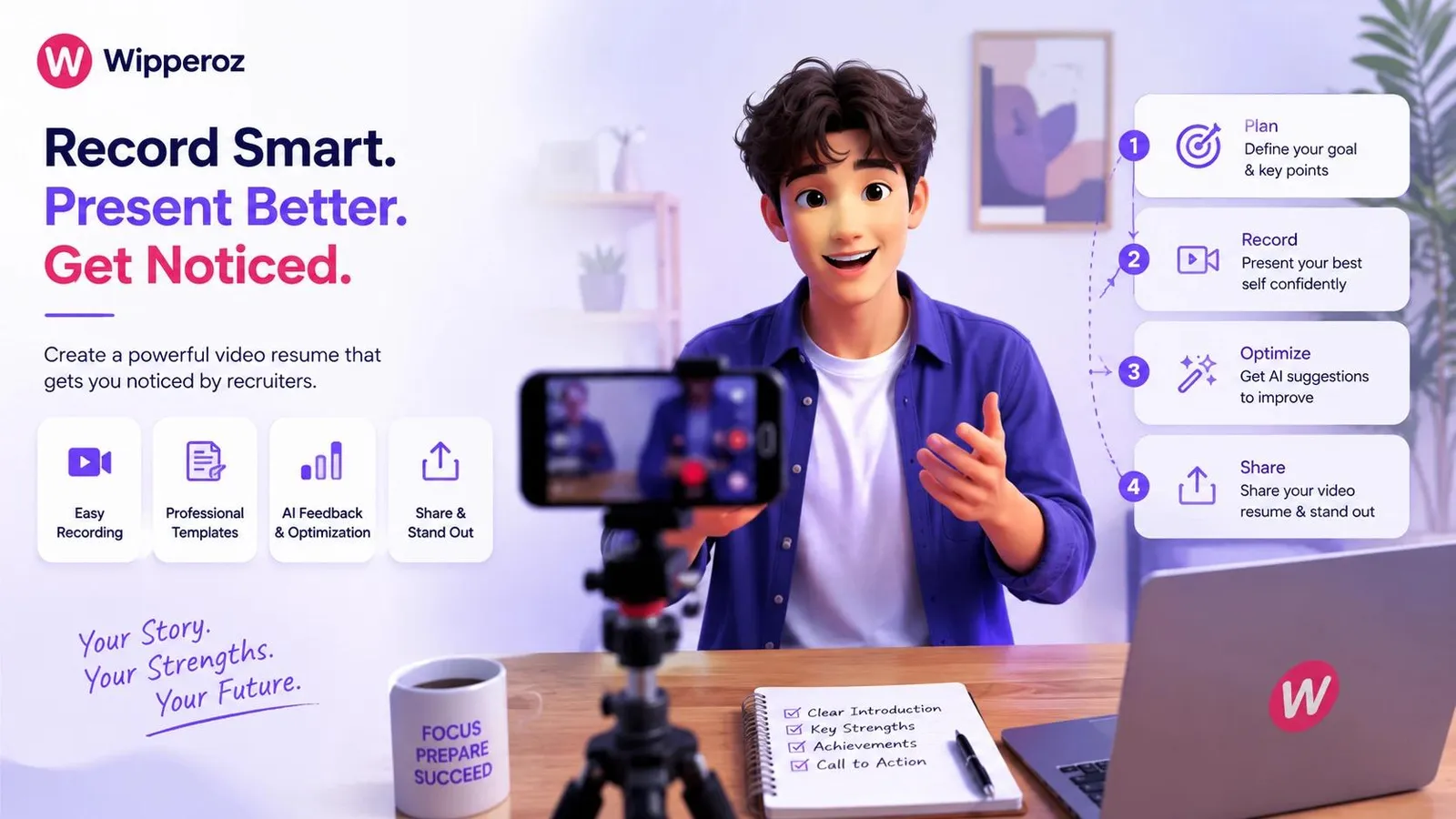
How to Make a Video Resume in 2026 That Gets You Noticed by Recruiters
How to Make a Video Resume in 2026 is no longer a niche career tactic. It is becoming a practical response to a job market where applications are screened faster, AI filters are more common, and recruiters often have limited time to judge whether a candidate should move forward.

1. The New Standard of Job Hunting: Why You Need a Video Resume in 2026
How to Make a Video Resume in 2026 is no longer a niche career tactic. It is becoming a practical response to a job market where applications are screened faster, AI filters are more common, and recruiters often have limited time to judge whether a candidate should move forward.
Traditional resumes still matter, but they rarely tell the whole story. In high-volume hiring environments, strong candidates can be overlooked because keyword matching favors formatting and phrasing over communication ability, confidence, and presence. That is exactly where a video resume creates a clearer first impression.
In 2026, the best video resumes do not try to replace the written CV. They add the one thing a document cannot: proof of how you communicate, carry yourself, and present value in real time.
Why paper resumes are losing visibility
Applicant tracking systems continue to play a major role in recruitment, and many employers still use software to rank or filter applications before a human sees them. According to Jobscan’s ATS research, a large share of resumes are rejected by automated screening before reaching a recruiter, often because of formatting issues, missing keywords, or mismatched job titles.
That does not mean ATS software is the enemy. It simply means job seekers need a second layer of differentiation once they are past the initial filter. A video resume can help hiring teams remember you when dozens of nearly identical profiles look interchangeable.
- It shows communication skills more clearly than a static document.
- It lets employers hear your tone, clarity, and confidence.
- It helps culture fit become visible earlier in the hiring process.
- It can strengthen applications for client-facing, creative, sales, and leadership roles.
What a video resume means in 2026
A modern video resume is a short, focused professional pitch, usually 45 to 90 seconds, designed to supplement a written resume or LinkedIn profile. It is not a full career documentary. It is a concise introduction that highlights your professional identity, relevant strengths, and why you fit the role.
For candidates learning how to Make a Video Resume in 2026, the goal is simple: make it easy for a recruiter to understand who you are, what you do well, and why they should keep watching. That matters even more in industries where personality and presentation are part of the job itself.
Where a video resume creates the most value
A video resume is especially useful when the role depends on human interaction, persuasion, or visible confidence. It can be a strong addition in fields like marketing, sales, public relations, media, education, hospitality, customer success, and management.
It is also becoming more relevant for early-career candidates and career changers. If your resume does not yet show years of experience, a video can quickly demonstrate maturity, enthusiasm, and communication ability in a way bullet points cannot.
| Job search asset | What it shows | Main limitation |
|---|---|---|
| Traditional resume | Experience, skills, credentials, keywords | Does not show personality or speaking ability |
| LinkedIn profile | Professional background and endorsements | Still mostly text and static visuals |
| Video resume | Presence, confidence, communication, culture fit | Needs careful scripting and polished delivery |
For a practical job-search strategy, many candidates pair a video resume with a stronger profile summary. If you want to improve the written side too, see how to optimize your LinkedIn profile and how to write a resume. That combination creates both machine-readable and human-friendly visibility.
What recruiters are actually looking for
Recruiters usually do not expect a cinematic production. They look for clarity, relevance, and a reason to keep engaging. A strong video resume answers three things quickly: who you are, what you bring, and what kind of role you want.
- Clear speaking and steady pacing.
- Relevant achievements tied to the target role.
- A professional background, even if it is simple.
- Evidence of confidence without sounding scripted.
That is why How to Make a Video Resume in 2026 is less about editing tricks and more about strategic self-presentation. The best version feels human, concise, and credible.
2. Vertical vs. Horizontal: Choosing the Right Video Format
How to Make a Video Resume in 2026 starts with choosing the right frame. The aspect ratio affects how your message is received, where you share the video, and how professional you appear to a recruiter scrolling on a phone or reviewing applications on a desktop.
Vertical and horizontal formats are not interchangeable. Each serves a different hiring context, and using the wrong one can make a polished message feel awkward or less credible. The best choice depends on the platform, the role, and the way recruiters are most likely to view it.
Why vertical video is gaining ground
Vertical video has become the default format for mobile-first platforms. Social recruiting, creator economy jobs, and visually driven industries often favor short-form content because it is easier to consume on a phone without rotating the screen.
This is especially relevant for creative, marketing, media, retail, and content roles. A vertical video resume can feel native on platforms where short clips already dominate attention. If you are applying through social channels or sharing a snippet on a personal profile, vertical usually feels more modern and accessible.
Vertical video is not just a trend. In mobile hiring workflows, it often matches the way candidates and recruiters already consume content.
When horizontal is still the smarter choice
Horizontal video remains a strong option for corporate environments, executive applications, and direct submissions by email or LinkedIn. It looks more traditional, leaves more room for visual composition, and feels familiar in boardroom-style communication.
If you are targeting senior leadership, consulting, finance, law, or other formal sectors, a landscape format can communicate polish and restraint. It also works well when your video is likely to be watched on a laptop or shared internally by hiring managers.
For candidates exploring How to Make a Video Resume in 2026, the safest approach is to match the format to the audience. A creative role may benefit from vertical energy, while a leadership role often needs horizontal composure.
How to frame yourself professionally in each format
Framing matters as much as camera choice. Your shoulders, eye line, and headroom should feel intentional, not accidental. A poor frame can undermine otherwise strong delivery.
| Format | Best use case | Framing tips |
|---|---|---|
| Vertical 9:16 | Social recruiting, creative roles, mobile-first sharing | Center your face, keep eyes near the upper third, avoid cutting off shoulders |
| Horizontal 16:9 | Corporate, executive, email submissions, LinkedIn sharing | Sit slightly off-center if using props or slides, maintain balanced background space |
In both formats, eye contact should land near the camera lens, not the screen preview. That detail alone can make a submission feel more confident and direct. Keep your posture upright, your background uncluttered, and your movement minimal unless the role calls for energy and expressiveness.
Practical format rules that keep you looking credible
Use the format the recipient is most likely to prefer, not the one that looks trendy. If the role posting mentions social content, personal branding, or public-facing work, vertical is often a strong fit. If the job is more formal, horizontal usually protects professionalism.
- Use vertical for phone-first viewing and short, attention-grabbing intros.
- Use horizontal for executive, academic, and corporate applications.
- Keep your face large enough to read expression clearly.
- Leave enough negative space so the shot feels stable and clean.
One final point matters here: format should never distract from substance. Whether you choose vertical or horizontal, the real goal of How to Make a Video Resume in 2026 is to make your qualifications easier to trust at a glance. The right frame supports that trust, rather than competing with it.
3. Step-by-Step Preparation: Crafting Your Video Resume Script
If you are learning How to Make a Video Resume in 2026, the script is where most strong submissions begin. A polished delivery matters, but employers still need a clear message fast. That is why a tight, structured script can make your video feel focused, credible, and easy to remember.
A good rule is to treat the video like a compressed professional introduction. In practice, that means opening with a hook, explaining your value, proving it with results, and ending with a direct call to action. Tools like Virtual CV by Wipperoz can support this workflow by helping you condense a traditional two-page resume into a concise, employer-friendly 60-second format.
For video resumes, clarity beats cleverness. Hiring teams usually remember one strong outcome, one relevant skill set, and one confident next step more than a long personal story.
The four-part script structure that keeps recruiters watching
When I review early-stage video resumes, the most common issue is overload. Candidates try to include everything, which weakens the message. A better approach is to build around four parts that work in sequence.
| Script element | What it does | What to include |
|---|---|---|
| Hook | Grabs attention in the first few seconds | Your name, role, and one sharp professional theme |
| Value proposition | Explains what you do best | Core strengths, domain focus, and working style |
| Key achievements | Proves your impact with evidence | Metrics, outcomes, promotions, or recognizable wins |
| Call to action | Ends with a purposeful next step | Interest in the role, portfolio, or interview request |
Mad-Libs style templates you can customize quickly
These templates are useful when you need speed without sounding generic. Replace the bracketed text with your details, then trim the result so it fits your target runtime.
Creative roles template
I am [name], a [designer/copywriter/video editor] who helps [brands/teams/clients] turn [problem] into [result]. In my recent work, I [key achievement with measurable impact]. I bring [style trait], [technical skill], and [collaborative strength] to every project. I would welcome the chance to bring that approach to [company name].
Sales roles template
I am [name], a sales professional with a record of [metric-based achievement]. I specialize in [market segment or sales motion], and I have helped teams improve [pipeline/revenue/conversion]. My strength is combining relationship building with disciplined execution. I am excited about the opportunity to contribute those results at [company name].
Technical roles template
I am [name], a [developer/data analyst/engineer] with experience in [tools, systems, or methods]. I recently [built/improved/automated] [specific project], which led to [measurable outcome]. I value clean problem-solving, reliable delivery, and collaboration across teams. I would love to help [company name] solve [relevant challenge].
For a modern How to Make a Video Resume in 2026 workflow, this structure is especially effective because recruiters are scanning for relevance, not biography. Wipperoz can help you reshape a longer CV into a sharper script, which is useful if your paper resume contains years of detail that do not belong on camera.
How to keep the delivery natural and centered
Script quality is only half the job. If the delivery feels stiff, over-rehearsed, or off-center, the message loses trust. That is where centered eye contact becomes important, especially for a video resume intended to feel direct and human.
Using tools like Wipperoz that maintain centered eye contact while reading can make a meaningful difference. When your gaze stays aligned with the camera, you appear more present, which helps simulate a better interview-like connection. That matters because many hiring managers judge confidence and communication almost immediately.
- Keep sentences short enough to speak comfortably in one breath.
- Use plain language instead of heavy jargon unless the job requires it.
- Pause briefly between achievements so the viewer can process them.
- Record a few takes and choose the one that sounds calm, not robotic.
If you want your script to feel polished without sounding overproduced, aim for a conversational rhythm. A strong video resume should sound like a prepared professional speaking naturally, not like someone reciting lines.
Practical editing tips for a 60-second resume
A 60-second target forces prioritization, which is often a good thing. It encourages you to lead with evidence and leave out background details that are better saved for the interview. In How to Make a Video Resume in 2026, concise editing is often what separates a watchable video from a forgettable one.
Use this sequence when cutting your final script:
- Start with your strongest qualification, not your education history.
- Keep one achievement that shows scale, speed, or business impact.
- Remove repeated adjectives and replace them with facts.
- End by naming the kind of role or team you want to join.
Virtual CV by Wipperoz is especially useful here because it helps turn a long-form resume into a concise presentation that stays focused on relevance. That makes it easier to create a version that fits the attention span of modern hiring teams while preserving the details that matter.
4. How to Tailor a Video Resume for Different Industries and Roles
One of the biggest mistakes people make when learning How to Make a Video Resume in 2026 is using the same script for every application. That approach sounds efficient, but it usually weakens relevance. Employers want to hear that you understand their industry, the role’s priorities, and the type of problems they need solved.
A tailored video resume should adjust tone, examples, and visuals to fit the job. A corporate finance team expects discipline and precision. A creative studio wants personality and originality. A technical hiring manager usually looks for problem-solving, clarity, and evidence of systems thinking.
The best video resumes are not universal; they are targeted. Specificity makes your application feel intentional, which is exactly what hiring teams notice.
Matching tone and visuals to the industry
Your tone should reflect the environment you want to enter. If you are applying to a formal business function, a calm and structured delivery usually works best. For creative work, a slightly warmer, more expressive tone can help you stand out without losing professionalism.
Visual choices should support the same message. A clean background and business attire suit corporate roles. A portfolio shot, studio environment, or subtle brand work samples may be more appropriate for creative positions. For technical roles, simple visuals and minimal distractions often feel more credible.
| Industry | Tone | Best proof points | Visual style |
|---|---|---|---|
| Corporate | Professional, measured, concise | Revenue, efficiency, compliance, leadership | Neutral background, formal attire |
| Creative | Warm, energetic, distinctive | Portfolio outcomes, campaigns, engagement | Clean but expressive, subtle brand cues |
| Technical | Clear, confident, analytical | Systems built, bugs reduced, performance improved | Simple setting, low distraction |
Choose role-specific achievements, not generic strengths
Tailoring is not just about style. It is about selecting proof that matches the job description. If the posting emphasizes stakeholder management, show that you led cross-functional work. If it highlights automation, show the time or cost saved. If it prioritizes customer engagement, use numbers that show retention or satisfaction.
Here is a practical way to think about it:
- Corporate roles often reward evidence of reliability, leadership, and measurable business impact.
- Creative roles benefit from examples of originality, brand alignment, and audience response.
- Technical roles should highlight accuracy, scalability, process improvement, and collaboration.
For example, a marketing candidate might say they increased qualified leads by a specific percentage, while a software candidate might mention reducing deployment errors or improving response time. The details matter because they help employers picture you succeeding in their environment.
Build flexible versions instead of relying on one master clip
A single one-size-fits-all video may seem convenient, but it creates a relevance problem. Different applications require different evidence, and the most effective candidates prepare multiple versions that can be adapted quickly. This is especially useful when applying across adjacent roles or industries.
A better workflow is to create a base version, then keep short variants for each application type. In practice, that means you can swap out the opening line, one achievement, and the closing CTA without re-recording the entire video every time. This keeps production efficient while preserving customization.
Simple versioning strategy for job seekers
Use one core video for broad applications, then create shorter edits for:
- Corporate leadership or operations roles.
- Creative and brand-focused roles.
- Technical or analytical roles.
This flexible method is one of the most practical answers to How to Make a Video Resume in 2026 because hiring cycles are faster and candidate expectations are higher. A tailored video shows effort, and effort signals seriousness. That is often enough to make your application feel more credible before anyone even opens your full resume.
5. Editing for Impact: Captions, Subtitles, and Interactive Elements
When people search for How to Make a Video Resume in 2026, they usually focus on filming first. In practice, editing is where a good video resume becomes a strong one. Clean captions, readable subtitles, and interactive elements help your message survive distracted viewing, mobile screens, and silent autoplay environments.
That matters because many recruiters do not start by listening closely. Industry guidance and hiring behavior studies consistently show that a large share of first-pass video viewing happens with sound off, especially on mobile and in busy work settings. In that reality, burned-in captions are not optional; they are the difference between being understood and being skipped.
Captions that carry the message, even on mute
Accurate burned-in captions should match every important word, especially your name, role, skills, metrics, and company names. Auto-captions can be a useful starting point, but they still need human review for punctuation, timing, and industry-specific terms.
If you are learning How to Make a Video Resume in 2026, think of captions as a second audio track for busy recruiters. They improve accessibility, reduce misunderstanding, and make your value proposition visible in the first few seconds.
In modern recruiting, captions are not a nice-to-have feature. They are a visibility layer that helps your qualifications land when attention is limited and sound is unavailable.
Why Wipperoz.com is a practical editing choice
For creators who want a streamlined workflow, Wipperoz.com is a strong option because it combines AI-assisted editing with presentation-focused features. That matters when you need to polish a resume video quickly without sacrificing clarity or consistency.
Wipperoz.com can help you move from raw footage to a recruiter-ready asset by supporting captioning, editing, and engagement features in one place. If your goal is How to Make a Video Resume in 2026 without juggling multiple tools, this kind of integrated workflow saves time and keeps the final result professional.
- Use Wipperoz.com to speed up editing and reduce manual cleanup. This is especially useful if you are recording multiple takes.
- Review captions carefully before publishing. Even small errors can weaken credibility.
- Keep visual styling minimal so the recruiter stays focused on your experience, not on flashy effects.
To sign up and try it yourself, use this link: Sign up for Wipperoz today.
Interactive elements that turn a video into a mini portfolio
Interactive elements can make your video resume more actionable. Instead of asking recruiters to remember everything, you can guide them to the next step directly inside the viewing experience.
Wipperoz offers interactive video features such as clickable portfolio links and a “Connect on LinkedIn” button inside the video player. For candidates figuring out How to Make a Video Resume in 2026, this is especially valuable because it shortens the path from interest to follow-up.
High-value interactive elements to include
Keep the interaction points simple and relevant. Too many buttons can dilute the core message, but two or three thoughtful links can strengthen it.
- Portfolio link: Send viewers to selected work samples instead of a broad homepage.
- LinkedIn button: Make it easy for recruiters to verify your background and connect quickly.
- Calendar or contact link: Use only if it supports your application strategy and keeps the experience clean.
My practical recommendation is to treat interactivity as proof, not decoration. If you mention a campaign, design system, GitHub repo, or writing sample in the video, give the recruiter a direct path to it. That is one of the most effective upgrades in How to Make a Video Resume in 2026 because it turns your pitch into a clickable hiring asset.
6. How to Share, Track, and Update Your Video Resume in 2026
The final step in How to Make a Video Resume in 2026 is distribution. A polished video is only useful if recruiters can open it quickly, view it on any device, and follow the path you want them to take. That means choosing a hosting method that works smoothly, loads fast, and preserves quality.
Wipperoz.com is a practical hosting and sharing option because it is built around recruiter-friendly video delivery. Instead of sending a large file or a clumsy attachment, you can share a clean link that opens instantly and supports engagement tracking when available. That creates a better candidate experience and a better recruiter experience.
Pick a sharing format that removes friction
Recruiters are more likely to watch a video resume when it opens in one click. For that reason, hosted links are usually more effective than attachments, and embedded player links are better than file downloads.
When deciding how to share your video, prioritize speed, mobile compatibility, and privacy control. If the platform supports it, use a public share link for open applications and a private or unlisted link for targeted outreach.
| Sharing method | Best use case | Main Benefit |
|---|---|---|
| Hosted video link | General applications | Fast access and easy viewing |
| Embedded player page | Portfolio or personal site | More context and stronger branding |
| Private share link | Targeted recruiter outreach | Better control over who can view it |
Track what happens after you hit send
Tracking matters because the hiring process is rarely linear. A recruiter may watch your video, revisit it later, or share it internally before replying. If your platform shows views and engagement signals, you can time your follow-up more intelligently.
Trackable sharing helps you move from guessing to responding with context. That is especially important when multiple candidates apply for the same role.
Useful signals include total views, repeat views, average watch duration, and clicks on any included links. If a viewer replays your introduction or clicks your portfolio link, that is a strong sign of interest and worth noting in your follow-up.
Update the video without rebuilding everything
One advantage of learning How to Make a Video Resume in 2026 is that your video should not be a one-time asset. As your role changes, your achievements grow, or your target industry shifts, you should refresh the content regularly.
A good maintenance cycle is to review the video every few months or after major career milestones. Keep the structure the same, but update the metrics, job title, tools, and call to action so the video stays accurate and relevant.
- Replace outdated achievements with newer, stronger results.
- Adjust the opening line if you are targeting a different role.
- Recheck captions, links, and thumbnails before every new application cycle.
The most effective video resumes in 2026 are not just well edited. They are easy to share, easy to measure, and easy to update. That combination makes Wipperoz.com especially useful for candidates who want a practical system for presentation, tracking, and follow-up without adding friction to the hiring process.
7. ATS Compatibility: How to Safely Host and Submit Your Video
When learning How to Make a Video Resume in 2026, one of the most overlooked steps is submission strategy. A polished video can still fail if you attach a huge file to an application or send it in a format that corporate systems cannot process.
Most Applicant Tracking Systems are built to parse text, not handle large media attachments. In practice, that means your best video can be ignored, rejected, or trapped by email security filters before a recruiter ever sees it. The safer approach is to host the video externally and link to it from a conventional PDF resume.
Host it where recruiters can open it fast
For privacy and accessibility, use an unlisted YouTube link, a private Vimeo link, or a dedicated resume-hosting platform. These options keep the file off inboxes and ATS uploads while still giving hiring teams a simple click-through path.
In 2026, unlisted hosting is usually the most practical balance of reach and control. It prevents public search visibility, yet still allows anyone with the link to watch the video without logging in.
Recruiters want frictionless access. If a video takes too long to load, requires an account, or triggers a download warning, many will move on before watching it.
Choose the safest hosting format
Not every host behaves the same way inside a hiring workflow. Use this quick comparison to match the platform to your goal.
| Hosting option | Best use case | Privacy level | Recruiter experience |
|---|---|---|---|
| Wipperoz | Fast sharing with broad compatibility | High | Easy to open on most devices |
| Private YouTube/Vimeo link | More polished presentation and access controls | Medium | Clean playback and professional look |
| Dedicated resume platform | Portfolio-style presentation with branding | Medium | Useful when you want analytics and context |
If you are using a broader job-search strategy, pairing your video with a strong written resume still matters. For example, our video resume mistakes that instantly disqualify you guide explains how clean structure improves parsing and readability. That same principle applies here: keep the path to your video simple, visible, and text-based.
Embed a clickable link inside the PDF resume
The most ATS-friendly method is to add a short line near your contact details or summary section. Keep it simple and readable, because some software strips out complex design elements.
Best-practice placement
Place the link near the top of page one, ideally under your name or contact block. That makes it easy for recruiters to find after export from the ATS.
- Use a short anchor text such as “Video Resume: View Here.”
- Link the text directly to your hosted video URL.
- Do not paste the full raw URL unless required.
Thumbnail or text link: what works better?
A clean text link is usually more reliable than a large image, because ATS software reads text more consistently than visual elements. If you do use a thumbnail, make sure it is secondary and fully clickable in the PDF version.
For the safest setup, combine both in moderation: a text link for ATS compatibility and a small thumbnail for human readers. That way, the file remains professional while still inviting clicks.
A video resume should support your application, not complicate it. The best submission method is the one that works for both software and humans.
Protect privacy without making access difficult
Accessibility and privacy should work together, not against each other. If your video contains personal details or is meant only for employers, limit visibility settings and test the link from a private browser window before sending it.
Also, avoid password-protecting the video unless the employer specifically requests it. Every extra step can reduce view rates during the first screening stage. If you want more context on choosing the right file setup, our best AI CV Builders article covers technical decisions that help you choose the best and professional product.
8. Common Video Resume Mistakes That Hurt Your Chances
Knowing How to Make a Video Resume in 2026 is not just about recording a polished clip. It is also about avoiding mistakes that immediately reduce credibility, make your message harder to follow, or create a poor first impression.
Hiring managers often decide within seconds whether a candidate sounds prepared, concise, and relevant. That means the smallest execution problems can outweigh strong experience if they distract from your value.
Relying on vague claims instead of measurable proof
One of the most common mistakes is sounding enthusiastic but saying very little. Phrases like “I’m a hard worker” or “I’m passionate about results” do not tell employers what you actually achieved.
Measurable outcomes are far more persuasive. A stronger line would sound like this:
“I increased qualified leads by 28% in six months by refining our outreach process and improving follow-up timing.”
That kind of detail helps recruiters understand the scale and relevance of your contribution. It also mirrors the way hiring teams evaluate resumes in 2026: by evidence, not slogans.
- Use numbers whenever possible, such as percentages, budgets, timelines, or team sizes.
- Connect your result to a business outcome, not just a task.
- Keep each example short so the video stays focused and easy to remember.
Speaking too fast or sounding like you are reading
Speed is a major issue in video resumes. Candidates often rush because they are nervous, which makes the message harder to understand and less confident.
Reading directly from a script creates a similar problem. Even if the content is good, the delivery can feel stiff, scripted, or untrustworthy. Instead, outline key talking points and practice until your delivery sounds natural.
| Weak delivery | Better delivery | Why it works |
|---|---|---|
| Fast, breathless speaking | Steady pace with pauses | Improves clarity and confidence |
| Literal script reading | Bullet-point speaking notes | Sounds more conversational and authentic |
| Filler-heavy delivery | Intentional, concise phrasing | Makes the message more professional |
If you need help structuring your talking points, our article about the Best Student resume builders can help you turn experience into concise, natural language. The same speaking habits that work in interviews also improve video resume delivery.
Ignoring audio, lighting, and background distractions
Poor technical quality can undermine even the strongest content. According to guidance from the U.S. Department of Labor on job search materials, presentation matters because employers use every available signal when comparing candidates. A noisy room, dim lighting, or echo-heavy audio can make you seem less prepared, even if your qualifications are excellent.
Audio is especially important. Viewers may forgive a modest camera, but they will not stay engaged if your voice is hard to hear. Record in a quiet space, face a window or soft light source, and check for hums from fans, traffic, or appliances.
- Use a stable camera angle at eye level.
- Choose a plain background with minimal movement.
- Test your sound with headphones before the final recording.
Lighting should be even across your face, not harsh from above or too dark from behind. Likewise, your background should support your professionalism rather than compete for attention. If you want a stronger presentation framework, our discussion about the best ATS resume builder explains how visual consistency strengthens trust across every application asset.
In a video resume, polish does not mean perfection. It means removing distractions so your experience, confidence, and fit are easy to evaluate.
9. Press Record and Claim Your Dream Job
When you are learning How to Make a Video Resume in 2026, the biggest mistake is assuming the goal is to replace your resume, cover letter, or LinkedIn profile. The real advantage is that a polished video pitch gives hiring teams something those documents cannot: immediate presence, tone, confidence, and a clearer sense of how you communicate under pressure.
In a crowded market, that matters. Recruiters often scan applications quickly, so a concise, well-edited video can help you stand out before the second review even begins. A candidate who can deliver a thoughtful, professional, and human introduction in under two minutes is already communicating preparation, self-awareness, and modern communication skills.
Why a video pitch creates a stronger first impression
A strong video resume helps you show the qualities that are hard to capture in bullet points. It makes your enthusiasm visible, your explanations more memorable, and your personality easier to trust.
For many applicants, the challenge is not qualification; it is differentiation. If two candidates have similar experience, the one who can present a crisp on-camera pitch often feels more credible and easier to imagine in the role.
Video is most effective when it does not try to “perform” confidence. It works best when it communicates clarity, relevance, and genuine interest in the role.
How Wipperoz helps you present a 2026-ready application
Wipperoz gives you a streamlined way to package a modern application so the hiring manager can review it quickly and consistently. Instead of sending only static documents, you can share a polished video pitch that supports your resume, portfolio, and LinkedIn profile with a more human layer.
This is especially useful in 2026, when employers increasingly expect candidates to communicate effectively across digital formats. A clean, well-organized video hosted and shared through Wipperoz can help reduce friction for the reviewer while keeping your presentation professional and easy to access.
What a polished video pitch signals to employers
- Preparation: You planned your message instead of improvising at the last minute.
- Communication skills: You can explain your value clearly and concisely.
- Confidence: You are comfortable representing yourself on camera.
- Relevance: You understand how to tailor your pitch to the role.
- Digital fluency: You know how to present yourself in modern hiring workflows.
Why this beats traditional application materials alone
Traditional materials are still essential, but they are not always enough to create momentum. A resume lists your experience, while a video pitch shows how you think, speak, and connect that experience to the employer’s needs.
That difference can be decisive. Hiring teams often use LinkedIn, portfolios, and shared application links as part of their screening process, and a video pitch can strengthen that package by making you more memorable without adding unnecessary length.
| Application format | What it communicates | Limitations | Best use |
|---|---|---|---|
| Resume | Experience, dates, skills, and achievements | Static and easy to skim quickly | Core application requirement |
| Cover letter | Motivation and role alignment | Often generic or not fully read | Targeted application context |
| Video resume | Presence, confidence, energy, and communication style | Requires planning and concise delivery | Personal differentiation and memorable first impression |
The competitive edge comes from authenticity, not perfection
One of the most important lessons in How to Make a Video Resume in 2026 is that polished does not mean robotic. Hiring managers do not need a cinematic performance; they need a clear, credible introduction from someone who understands the role and can represent themselves well.
That is why overly scripted or overly edited videos often fall flat. The strongest submissions usually sound natural, stay on message, and show just enough personality to feel real.
Small imperfections are usually less damaging than stiff delivery. A calm, genuine pitch can be more persuasive than an overproduced video with no warmth.
How to stop overthinking the recording process
If you are stuck editing, rerecording, and second-guessing every word, you are probably losing the thing that makes video effective in the first place. The goal is not to sound perfect; the goal is to sound prepared, relevant, and sincere.
Start with a simple outline, record a few takes, choose the clearest version, and move forward. Once you focus on helping the employer understand your value, the camera becomes a tool rather than a hurdle.
A practical mindset before you hit record
- Prepare your core message, then keep it brief.
- Speak to one employer, not to everyone.
- Use natural energy instead of memorized stiffness.
- Let your enthusiasm show, but keep the delivery professional.
- Remember that clarity is more valuable than perfection.
So if you have been waiting for the “perfect” moment, stop. Press record, keep your message focused, and let your authentic enthusiasm come through the lens through Wipperoz. In 2026, that combination of professionalism and personality can be exactly what helps you claim your dream job.
Common Questions
i. How long should a video resume be in 2026?
A video resume in 2026 should usually be 60 to 90 seconds, with two minutes as a practical upper limit for most roles. Shorter is often better because recruiters value clarity, pacing, and relevance more than length.
ii. How to create a video resume?
To create a video resume, write a short outline, introduce yourself, highlight relevant skills and achievements, and end with a clear call to action. For a full walkthrough of How to Make a Video Resume in 2026, focus on good lighting, clean audio, and a concise message tailored to the role.
iii. Should I make a video resume?
Yes, if the role values communication, client interaction, leadership, personal branding, or presentation skills, a video resume can help you stand out. Even for more traditional jobs, it can add a memorable human layer to your application when used appropriately.
iv. Should I read a script or speak naturally on camera?
Use a script as a guide, but do not read it word for word on camera. Speaking naturally sounds more confident and trustworthy, while a rigid script often makes the delivery feel forced.
v. What is the best AI tool for editing a video resume?
The best AI tool is the one that helps you clean up audio, remove long pauses, and improve pacing without making the video look artificial. Choose a tool that supports simple trimming, subtitles, and export quality suitable for professional sharing.
vi. Can I use my smartphone to record my video pitch, or do I need a professional camera?
A smartphone is usually enough if it records in high resolution and you pay attention to lighting, sound, and framing. A professional camera can help, but strong fundamentals matter more than expensive equipment.
vii. Where is the safest place to host my video resume online?
The safest place is a trusted hosting platform that gives you control over privacy settings, link sharing, and access permissions. Make sure the video is easy to view for recruiters but not publicly exposed unless you want it to be.
viii. How do I link my video resume on my LinkedIn profile?
You can add the video link to the featured section, contact info, or the about section on LinkedIn, depending on how you want recruiters to find it. Keep the link clean, accessible, and clearly labeled so hiring managers understand what they are opening.
ix. Is it better to film a vertical or horizontal video resume?
Horizontal is usually the safer choice for a professional video resume because it looks more natural on desktop screens and shared links. Vertical can work for mobile-first viewing, but horizontal is generally more versatile for hiring workflows.
x. What if I am applying for a non-creative role—should I still make a video?
Yes, if the role rewards communication, leadership, or stakeholder interaction, a video can still help you differentiate yourself. Keep it professional, practical, and role-focused so it supports your credibility rather than distracting from it.
Related pages: Resume Trends 2026.
If you're comparing resume formats, explore video resume builder in Australia.
Ready to create your Virtual CV?
Join the people who stopped sending PDF resumes and started being seen.